

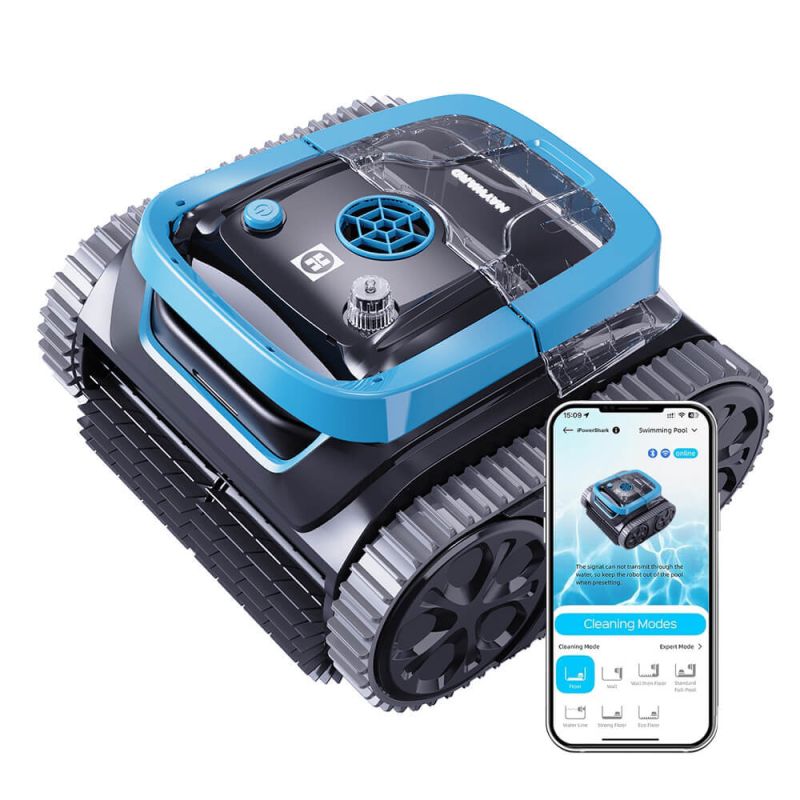
Hayward iPowerShark Cordless Robotic Pool Cleaner. Floor, Wall, Waterline


Satisfaction Guarantee
All products covered

Same Day Dispatch
On orders placed by 12pm AEDT

Price Match
Quick, simple & easy

Secure Shipping with Tracking
Guaranteed to arrive safely

Flat rate shipping
Per order Australia-wide

Free, Easy Returns
Hassle-free and convenient

Customer Service & Support
Dedicated call center
The Hayward iPowerShark Cordless Robotic Pool Cleaner redefines pool maintenance with its intelligent design and powerful performance. Featuring seven distinct cleaning modes and equipped with cutting-edge navigation technology, this device ensures maximum coverage of your pool.
From concrete to fiberglass, it adapts seamlessly to all surfaces, leaving your pool spotless and ready for enjoyment.
Its app compatibility allows customization and scheduling, while the powerful 6400 mAh battery offers up to 180 minutes of runtime.

Benefits:
- Tangle-Free Cleaning:
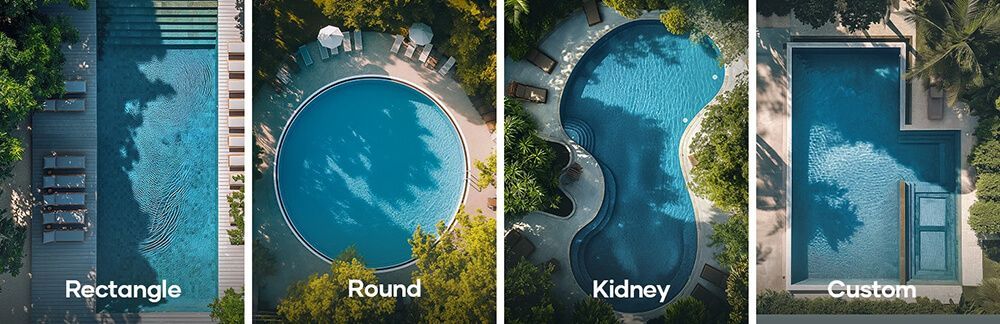
Cordless design for smooth operation in pools of any shape. - Enhanced Coverage:
Cleans floors, walls, waterlines, and steps effectively. - Smart Scheduling:
Automate cleaning with the Hayward App to save time and effort. - Unmatched Performance:
Seven cleaning modes and powerful suction tackle all debris. - Universal Adaptability:
Suitable for all pool types and surfaces, including stainless steel and mosaic.

Features:
- Cordless Operation: Eliminates tangles and works seamlessly across various pool shapes.
- 7 Cleaning Modes: Includes Standard Full-Pool, Floor Only, Wall Only, Waterline, Combo, Eco Floor, and Turbo Floor.

- Advanced Navigation: Built-in gyroscope, accelerometer, and infrared sensors ensure precise path planning.

- Powerful Performance:
- 90W traction motors for a 12m/min cleaning speed.
- 13m³/h turbine for superior suction.
- Extended Runtime: Up to 180 minutes of cleaning time with quick 2.5-hour charging.
- Self-Parking Technology: Automatically parks for easy retrieval after cleaning.


- Custom Control: Use the Hayward App for scheduling, mode selection, and performance monitoring.
 Download Hayward iPowerShark APP for APPLE IOS from the Apple Store
 Download Hayward iPowerShark APP for ANDROID from the Google Play Store
The Hayward iPowerShark RCH450WA is the perfect solution for effortless, intelligent, and powerful pool cleaning, ensuring pristine results every time.
Technical Specifications:
| Model | iPowerShark |
|---|---|
| Pool size | 120m² |
| Depth | 3m |
| Waterline Scrubbing | ✓ |
| Scrubbing Type | Front High Speed Scrubber |
| Motor | Triple Drive Motors |
| Timer Scheduler | ✓ |
| Self-Parking | ✓ |
| Product dimensions (mm) | 385 x 355 x 250 |
| Run time | 180min |
| Charging time | 150min |
| Battery | 25.2V / 6.4Ah |
| Power | 90W |
| Charger input | 100-240V, 47-63HZ |
| Charger output | 29.4V/ ЗА |
| Filter Density | 180um |
| Filtration rate | 13m3/h |
| Moving speed | 10m/min |
| Water resistance | IPX8 |
| OTA updating | ✓ |
| App connection | ✓ |
| Operating pool water temperature | 5°C - 35°C |
| Storage temperature | 5°C - 35°C |
| Working cycle modes | A. Pool bottom & wall combination:! 60-180min B. Pool bottom:180-200min |
In The Box
- 1 x iPowerShark Pool Cleaner
- 1 x Filter Busket 180μm
- 5 x Aghesive Block
- 1 x Owner’s manual
- 1 x Quick start guide
- 1 x Charger
- 1 x Hook

Frequently Asked Questions
Why won’t the iPowerShark turn on or start a cleaning cycle?
Why does the cleaner stop shortly after entering the water?
What should I do if the cleaner is not charging or the charger light keeps flashing?
Why is the cleaner not climbing walls or cleaning the waterline properly?
What does each LED light colour indicate during operation?
Why does the cleaner move to the pool edge and stop during operation?
What should I do if debris remains after cleaning or suction seems weak?
Why can’t the iPowerShark connect to the mobile app?
How do I reset or change a cleaning mode?
What should I do if the cleaner gets stuck on steps or irregular surfaces?
Is it safe to operate the cleaner immediately after adding pool chemicals?
Why does the cleaner float or turn sideways during a cycle?
How should I store the cleaner and battery when not in use?
| SKU | 1A-WY200 |
|---|---|
| Barcode | 1A-WY200 |
| Package Length | 40 cm |
| Package Width | 38 cm |
| Package Height | 27 cm |
| Warranty | 3 Years |
| Brand | Hayward |
| Model | iPowerShark |
| Product Type | Robotic Pool Cleaner |
| Shipping Type | Standard |
| Cleaner Type | Robotic Cleaner |
| Suitable Pool Type | Inground |
| Cable length (metres) | Cable Free |
| Swivel | No |
| Maximum Pool Size | Up to 10m x 5m |
| Suitable Pool Surface | Concrete, Pebblecrete, Pebblecrete w/ Tiled Waterline, Quartzon, Glass Beads, Fibreglass, Vinyl Lined, Tiled |
| Leaf Handling Capacity | Large Amounts |
| Leaf Size Capability | Long |
| Type Of Debris | Medium (Nuts, Twigs, etc.) |
| Cleaning Cycle | 7 - Standard Full-Pool/Floor/Wall/Waterline/Wall then Floor/Есо Floor/Turbo Floor |
| Can Handle Sand | Yes |
| Can Handle Fine Dust | Yes |
| Caddy | No |
| Filtration Type | Cartridge |
| Filtration Porosity | 180μm |
| Weight | 8.3kg |
| Wall Climber | Yes |
| Cleaning Area | Floor, Walls, Waterline |
| Remote Control | No |
| Energy Consumption | Working power 90W |
| Bluetooth | Yes |
| Smart Phone Control | Yes |

Shipping
Same-day dispatch applies to orders received by 12.00 pm (AEST) during business days. Orders received after 12.00 pm and on weekends or public holidays will be dispatched on the next business day.
Delivery fees are $19.95 flat-rate per order Australia-wide, no matter how many products are in it. Orders containing bulky items like sand filters, acoustic boxes, heat pumps, pool covers, and pool slides may incur additional fees as they require specialized carriers.
Below are the estimated time to arrival in business days once an order is shipped.
| Destination | Sydney | NSW | VIC | QLD | SA | WA/NT |
|---|---|---|---|---|---|---|
| Business Days | 1 - 2 | 2 - 4 | 2 - 4 | 2 - 4 | 3 - 4 | 5 - 6 |
Rural and remote addresses, where delivery is not provided every day, may take longer.
Returns
Satisfaction Guarantee: If you are not satisfied with a product for any reason, you are welcome to return it to us for a full refund or exchange within 30 days of the purchase date - even if you have used the product. Returns are free, and we will cover return shipping.
We take full responsibility for the safe arrival of the products that you order from us. We will replace at our expense any product that arrives faulty, damaged during transit, or is the incorrect product. Click here for details
If you have any questions about our shipping policy or our return policy, please contact us on 1300 766 619 or through our contact us form.