
Zodiac CX20 Robotic Pool Cleaner for Tiled Pools. Floor, Wall, Waterline

Out of stock

Satisfaction Guarantee
All products covered

Same Day Dispatch
On orders placed by 12pm AEDT

Price Match
Quick, simple & easy

Secure Shipping with Tracking
Guaranteed to arrive safely

Flat rate shipping
Per order Australia-wide

Free, Easy Returns
Hassle-free and convenient

Customer Service & Support
Dedicated call center
"Efficient, Adaptable, and Dependable"
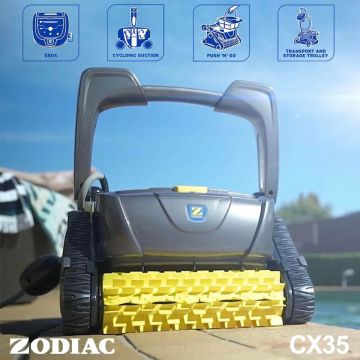
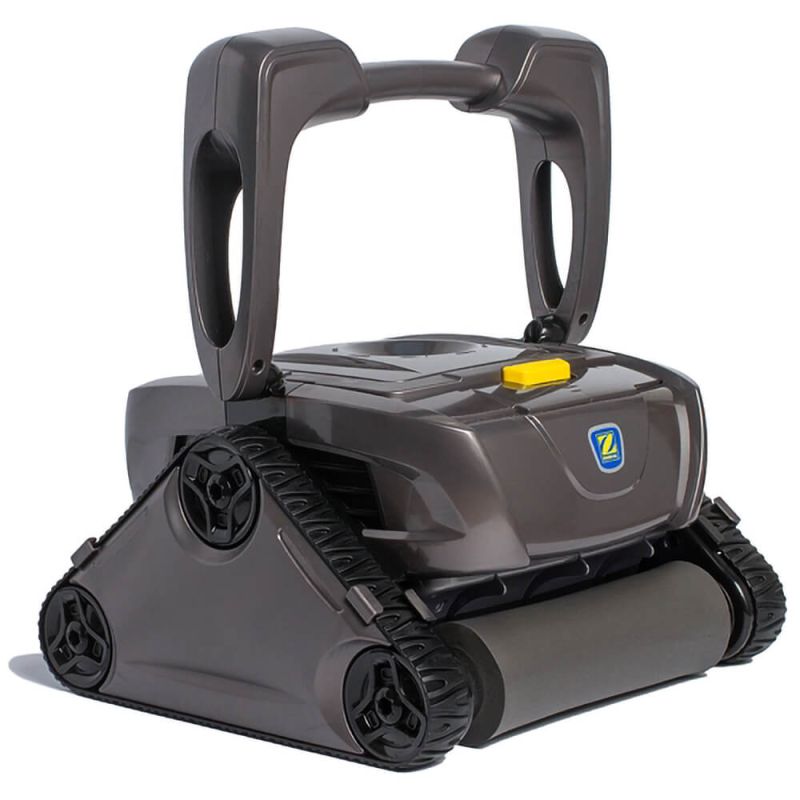
The Zodiac CX20 Robotic Pool Cleaner is expertly engineered to tackle any tiled pool with precision, combining powerful technology with a seamless user experience. Designed to deliver consistent, thorough cleaning across various pool shapes and tiled surfaces, this model brings exceptional results with minimal input from you.
With the CX20 working independently of your pool’s filtration system, you can save on energy costs while enjoying a pristine pool. Its long 15-meter power cord is ideal for medium to large pools, and its user-friendly design ensures simple operation, storage, and transport.
This version is equipped with PVA Scrubber Brushes that are ideal for Tiled Pools.
Why Choose the Zodiac CX20 for Tiled Pools?
The CX20’s advanced cleaning technology is tailored for tiled surfaces, with strong, reliable suction that effortlessly removes debris. This model combines convenience with power, giving you peace of mind while it thoroughly cleans floors, walls, and waterlines.
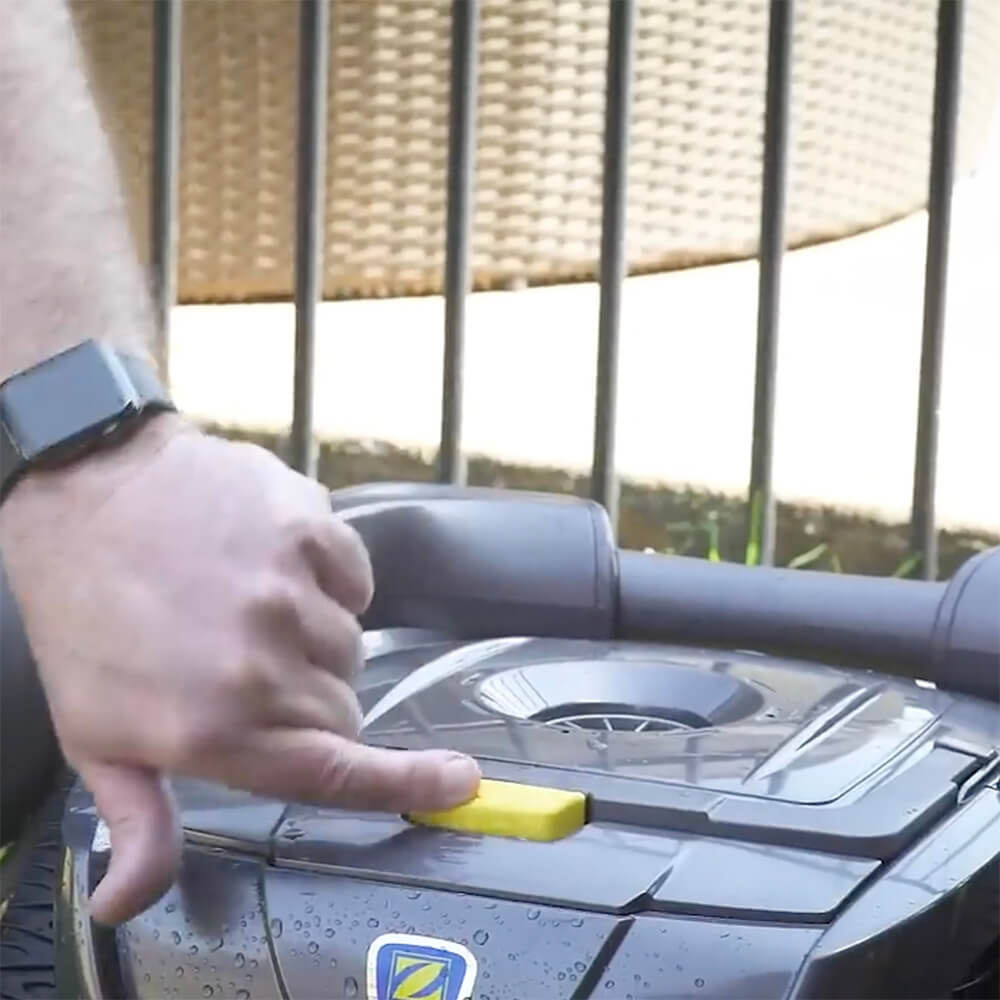
The Push 'N' Go system allows for quick, effortless setup—press a button, and the CX20 does the work for you. The CX20 offers exceptional performance in tiled pools up to 10 x 5 meters.
Available exclusively from Pool & Spa Warehouse
Zodiac's CX20 is one of Australia's best-selling pool cleaners. It is a modern product that has been recently introduced to the market and will enjoy many years of support. In 2018 it was made exclusively available from Pool & Spa Warehouse, Australia's fastest-growing independent retailer of pool equipment.
Benefits:
- Superior Cleaning Performance.
Equipped with CyclonX technology, the CX20 ensures strong, consistent suction to capture small, medium, and large debris like leaves, dirt, and sand. With no loss of suction throughout the cleaning cycle, you can count on spotless results every time. - Hygienic Filter Access.
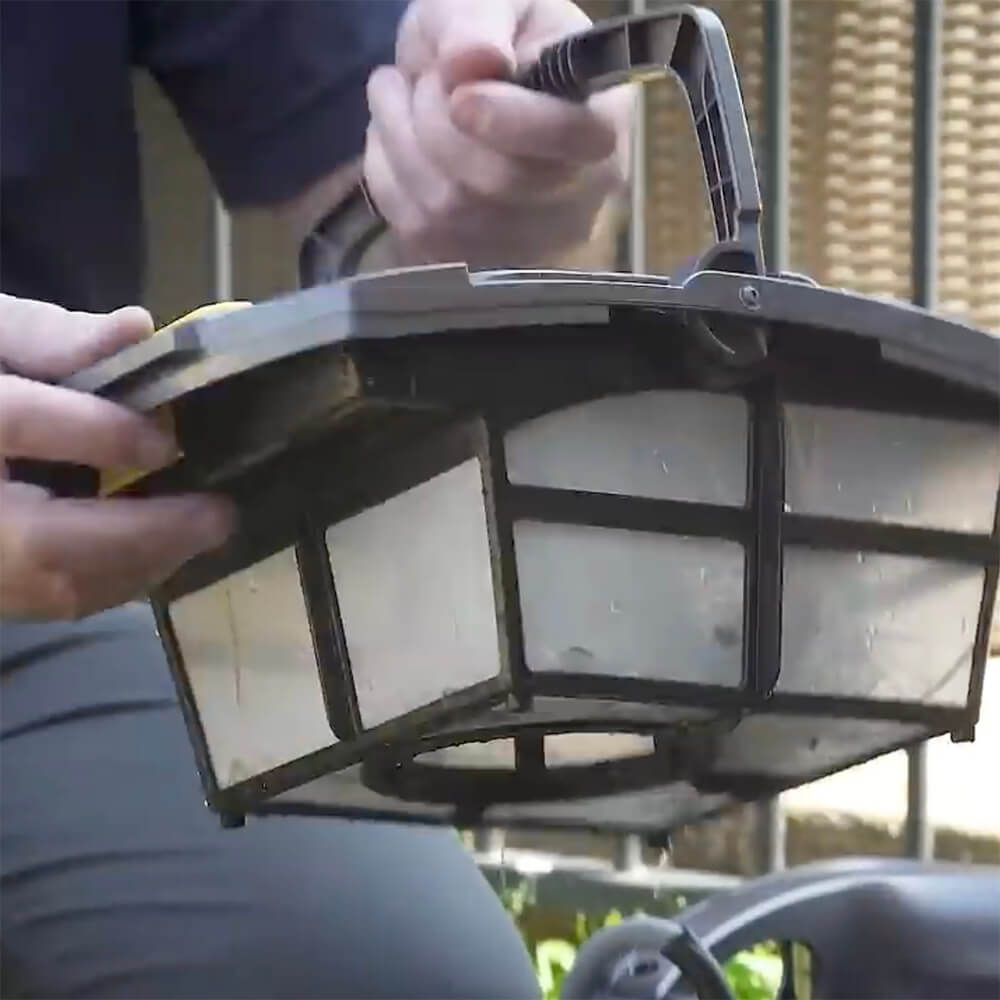
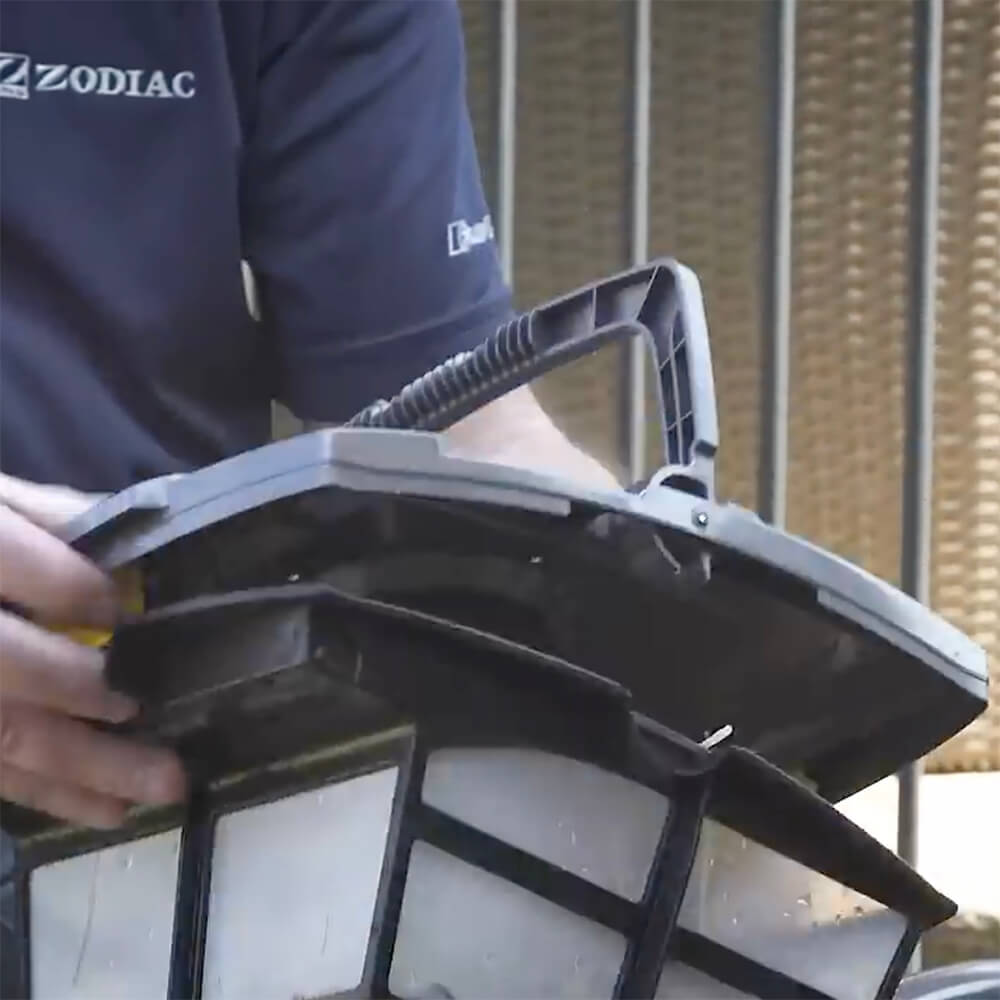
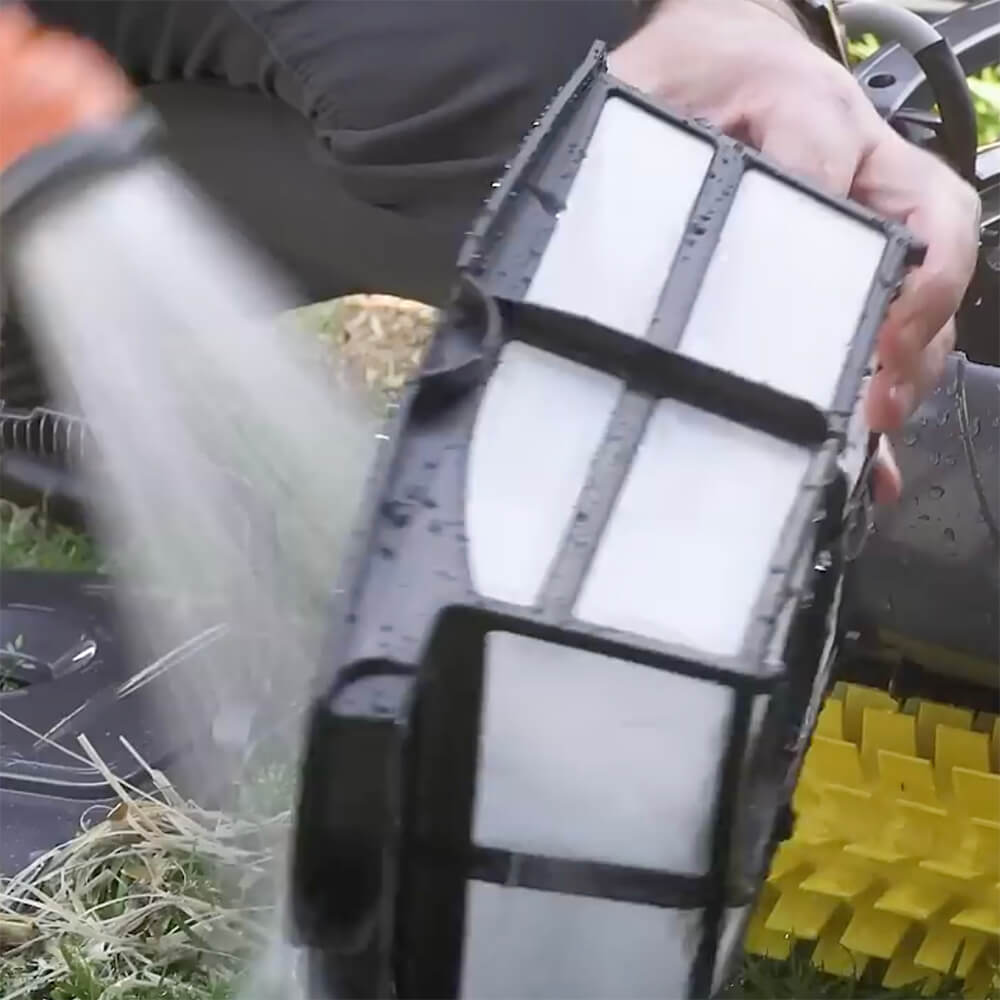
The CX20’s filter canister is designed for quick, easy access without touching the debris. Press a button to release, rinse, and prepare for the next cleaning cycle without hassle. - Complete Pool Coverage.
Ideal for tiled pools, the CX20 cleans every part of your pool—floors, walls, and waterlines. Its high-grip tracks are optimized for climbing, ensuring total coverage of even slippery tiled surfaces.

- Plug-and-Play Simplicity.
Fully plug-and-play, the CX20 requires no additional setup or attachments. Simply connect and let it operate independently, saving wear on your pool’s filtration system and energy costs.

- Hygienic, Quick Filter Access.
Never touch debris again. Its filter canister has been designed to be easily accessed and cleaned with minimum fuss and without having to touch the contents. Simply press a button to release the filter, rinse, and you’re ready for the next cleaning cycle.
Features:
- Cyclonic Suction Technology: The CX20's suction power keeps debris in suspension to prevent clogging, ensuring maximum cleaning efficiency for tiled surfaces.


- Push ‘N’ Go Technology: Effortlessly access the filter canister for quick, hygienic maintenance—no need to touch any debris.


- Customizable Cleaning Modes: Select from two cleaning modes tailored to your needs: Floor Only (1h30m) or Full Coverage (floors, walls, and waterline for 2 hours).

- Surface Control System (SCS): Adjust the cleaner’s settings to optimize performance for tiled surfaces, ensuring thorough cleaning across walls and floors.

- Optional Fine-Dust Filter: For fine debris like sand, an optional 100-micron filter canister is available for ultra-fine cleaning. Use as needed for pools with extra dust or fine debris.


- Equipped with PVA Scrubber Brushes for Tiled Pools
Certified to Australian safety standards, the CX20 provides you with peace of mind, knowing that it operates safely and reliably.

Technical Specifications:
| CX20 | |
|---|---|
| Types of inground pools | |
| Surfaces | Tiles |
| Shapes | Rectangular, oval, free shape Flat, gentle slope, composite slope, diamond shape |
| Size | For in-ground pools Up to 10 x 5m |
| Performance | |
| Cleaning areas | Floor, walls and waterline |
| Cleaning cycles | 1 – Floor only (1h30m) 2 – Floor/walls/waterline (2h) |
| Filtering level | 200-micron filter canister 100-micron filter canister (optional) |
| Filter capacity | 3L |
| Number of cycles | 6 from the control unit panel |
| Active Brushing | ✓ |
| Brush Position | Front and Rear |
| Ease of Use | |
| Plug & Play | ✓ |
| Surface Control System (SCS) | ✓ |
| Dirty Filter Indicator | ✕ |
| Fast Cleaning Program | ✕ |
| Caddy | ✕ |
| Technical Specifications | |
| Control Unit supply voltage | 220-240 VAC, 50 Hz short circuit-proof safety isolating type |
| Cleaner voltage | 30 V DC |
| Installed load | 150 W max |
| Cable length | 15m |
Warranty:
- 2 years
- 1 year on wearable parts (filter canister, tracks and roller brush).
In The Box
- 1 x Robotic cleaner and 15m cable
- 1 x eBox or Control box
- 1 x 200-micron filter canister
- 1 x Quick start guide
- 1 x Owner’s manual
- 1 x Warranty card

Note: An optional 100-micron filter canister is available for pools in which fine dust is an issue. The optional canister might affect the cleaner ability to climb walls, and as such, it is recommended to be used only as necessary.
Frequently Asked Questions
How do I correctly submerge the CX20 before starting a cleaning cycle?
What do the Information LED flash codes (1, 2, or 3 flashes) mean?
What should I do if the CX20 doesn’t move after I press Start?
Why isn’t my CX20 climbing walls or reaching the waterline in a tiled pool?
How do I choose the right Surface Control System (SCS) setting for tiled surfaces?
Why is the cleaner sucking air at the waterline?
Why doesn’t the cleaner stay firmly on the pool floor?
Can I leave the CX20 in the pool between cleaning cycles?
Is it safe to swim while the CX20 is operating?
Why is fine dust still present after cleaning, and when should I use the optional 100-micron filter?
How do I prevent or fix floating-cable tangling, and how much cable should be in the water?
What should I do if the wheels or brushes are jammed with debris?
How often should I clean the filter canister, and what’s the correct method?
Is the CX20 safe for vinyl-liner pools?
Should I remove the cleaner before adding chemicals or performing a shock treatment?
Why can’t I use an extension cord, and why must the control box be 3.5 m from the pool edge?
What’s the safest way to lift the cleaner out of the pool?
Is this CX20 model suitable only for tiled pools, and how does it differ from the standard version?
Can I store the CX20 in direct sunlight or leave it outside?
| SKU | WR000176 |
|---|---|
| GTIN | 9317545027722 |
| Package Length | 56 cm |
| Package Width | 56 cm |
| Package Height | 36 cm |
| Warranty | 2 Years, 1 Year on Wearable Parts |
| Brand | Zodiac |
| Model | CX20 for Tiled Pools |
| Product Type | Robotic Pool Cleaner |
| Shipping Type | Standard |
| Cleaner Type | Robotic Cleaner |
| Suitable Pool Type | Inground |
| Cable length (metres) | 15 |
| Swivel | No |
| Maximum Pool Size | Up to 10m x 5m |
| Suitable Pool Surface | Tiled |
| Leaf Handling Capacity | Large Amounts |
| Leaf Size Capability | Long |
| Type Of Debris | Medium (Nuts, Twigs, etc.) |
| Cleaning Cycle | 1.5 Hours floor only, 2 Hours floor & walls |
| Can Handle Sand | Yes |
| Can Handle Fine Dust | Yes (With Optional Filter) |
| Caddy | No |
| Filter Capacity | 3L |
| Filtration Type | Canister |
| Filtration Porosity | 200 micron (Optional 100 micron available) |
| Weight | 9.5 Kg |
| Wall Climber | Yes |
| Cleaning Area | Floor, Walls, Waterline |
| Remote Control | No |
| Energy Consumption | 150W |
| Bluetooth | No |
| Smart Phone Control | No |

Shipping
Same-day dispatch applies to orders received by 12.00 pm (AEST) during business days. Orders received after 12.00 pm and on weekends or public holidays will be dispatched on the next business day.
Delivery fees are $19.95 flat-rate per order Australia-wide, no matter how many products are in it. Orders containing bulky items like sand filters, acoustic boxes, heat pumps, pool covers, and pool slides may incur additional fees as they require specialized carriers.
Below are the estimated time to arrival in business days once an order is shipped.
| Destination | Sydney | NSW | VIC | QLD | SA | WA/NT |
|---|---|---|---|---|---|---|
| Business Days | 1 - 2 | 2 - 4 | 2 - 4 | 2 - 4 | 3 - 4 | 5 - 6 |
Rural and remote addresses, where delivery is not provided every day, may take longer.
Returns
Satisfaction Guarantee: If you are not satisfied with a product for any reason, you are welcome to return it to us for a full refund or exchange within 30 days of the purchase date - even if you have used the product. Returns are free, and we will cover return shipping.
We take full responsibility for the safe arrival of the products that you order from us. We will replace at our expense any product that arrives faulty, damaged during transit, or is the incorrect product. Click here for details
If you have any questions about our shipping policy or our return policy, please contact us on 1300 766 619 or through our contact us form.