


Zodiac CX35 Robotic Pool Cleaner for Tiled Pools. Caddy & Timer. Floor, Wall, Waterline

Out of stock

Satisfaction Guarantee
All products covered

Same Day Dispatch
On orders placed by 12pm AEDT

Price Match
Quick, simple & easy

Secure Shipping with Tracking
Guaranteed to arrive safely

Flat rate shipping
Per order Australia-wide

Free, Easy Returns
Hassle-free and convenient

Customer Service & Support
Dedicated call center
"Flawless and Determined"
A practical, powerful, and intelligent robotic cleaner designed specifically for tiled pools, delivering reliable and impeccable results with minimal effort.
Engineered to work independently of your pool’s filtration system, this cleaner scrubs tiled surfaces thoroughly while offering energy savings and hassle-free operation. With its long power cord, integrated timer, and included caddy, it’s perfect for tiled pools of any shape or size.
Why Choose the Zodiac CX35 for Tiled Pools?
Built with tiled surfaces in mind, the CX35 combines power and intelligence to clean your pool’s floor, walls, and waterline. Its enhanced grip and tailored cleaning capabilities ensure thorough performance on smooth, slippery tiled surfaces. The 18m power cord, integrated timer, and storage caddy make it a convenient and portable solution for tiled pool owners.
Available exclusively from Pool & Spa Warehouse
Zodiac's CX35 is one of Australia's best-selling pool cleaners. It is a modern product that has been recently introduced to the market and will enjoy many years of support. In 2018 it was made exclusively available from Pool & Spa Warehouse, Australia's fastest-growing independent retailer of pool equipment.
Benefits:
- Impeccable Cleaning for Tiled Surfaces.
Powered by CyclonX Technology, the CX35 delivers strong, consistent suction to capture small, medium, and large debris like leaves and dirt on tiled pools. Its enhanced grip ensures no loss of suction, providing superior results every time.


- Prevents Algae & Bacteria Growth.
The CX35’s vigorous scrubbing action tackles tiled surfaces to inhibit algae and bacteria formation, reducing chemical use and keeping your pool water healthier and safer. - Complete Coverage for Tiled Pools.
From floor to walls to waterline, the CX35 excels at cleaning every part of your tiled pool. Its high-grip tracks are optimized for climbing and scrubbing vertical tiled surfaces effortlessly.

- Hands-Free, Hassle-Free Operation.
Fully plug-and-play, the CX35 operates independently from your pool’s filtration system, saving energy and reducing equipment wear. The intuitive Push 'N' Go eBox control makes operation as simple as pressing a button.

- Hygienic, Quick Filter Access.
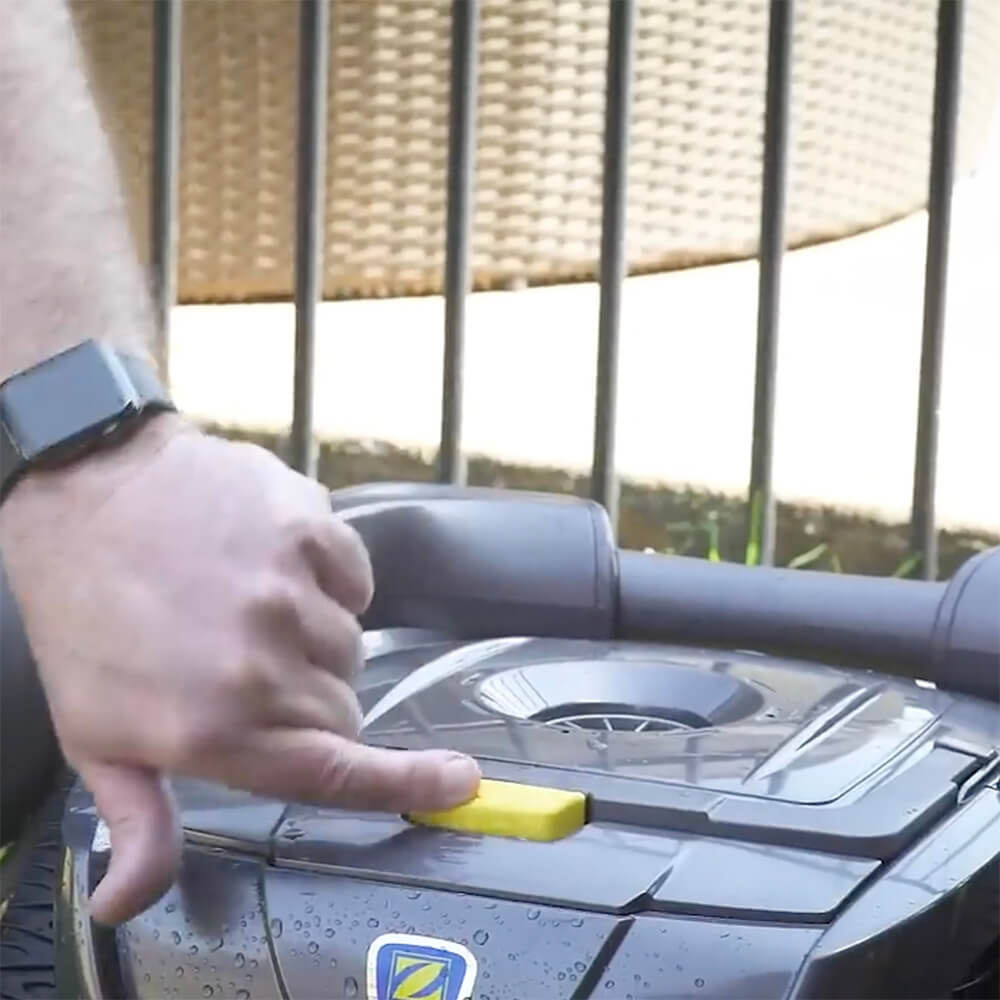
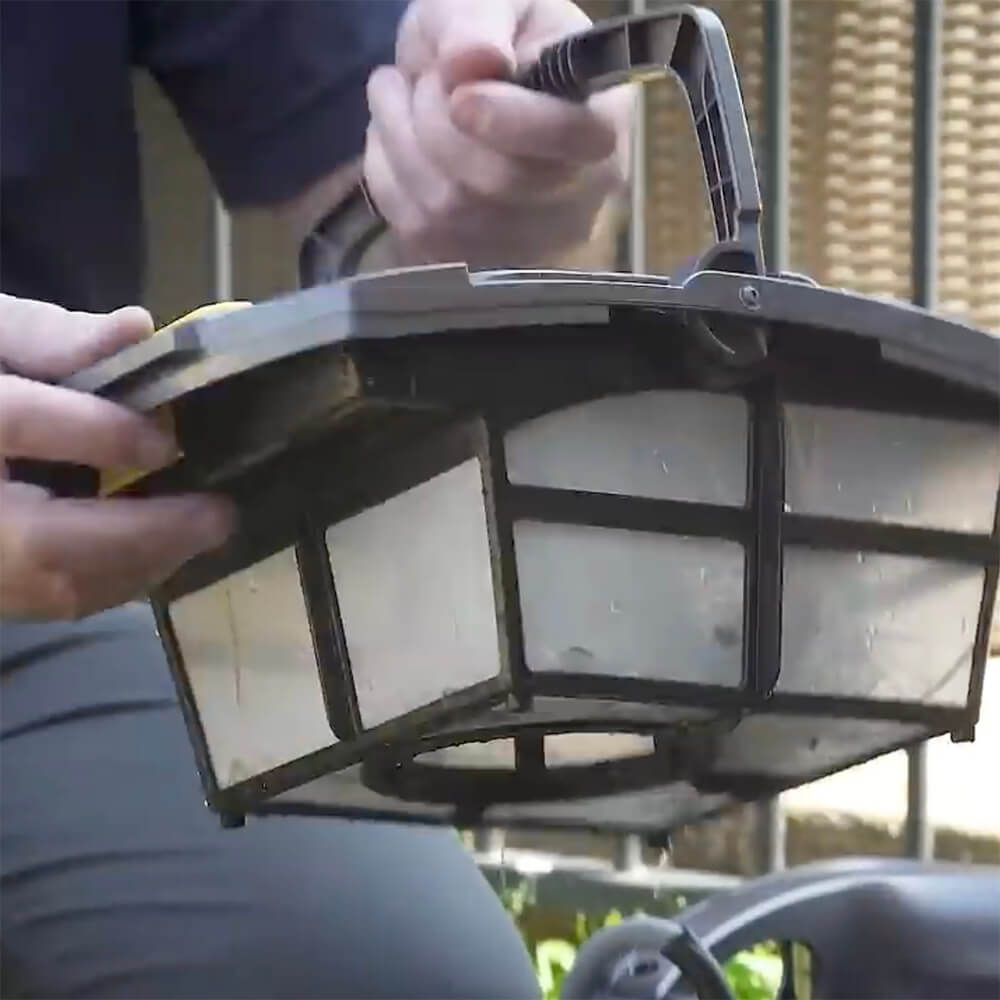
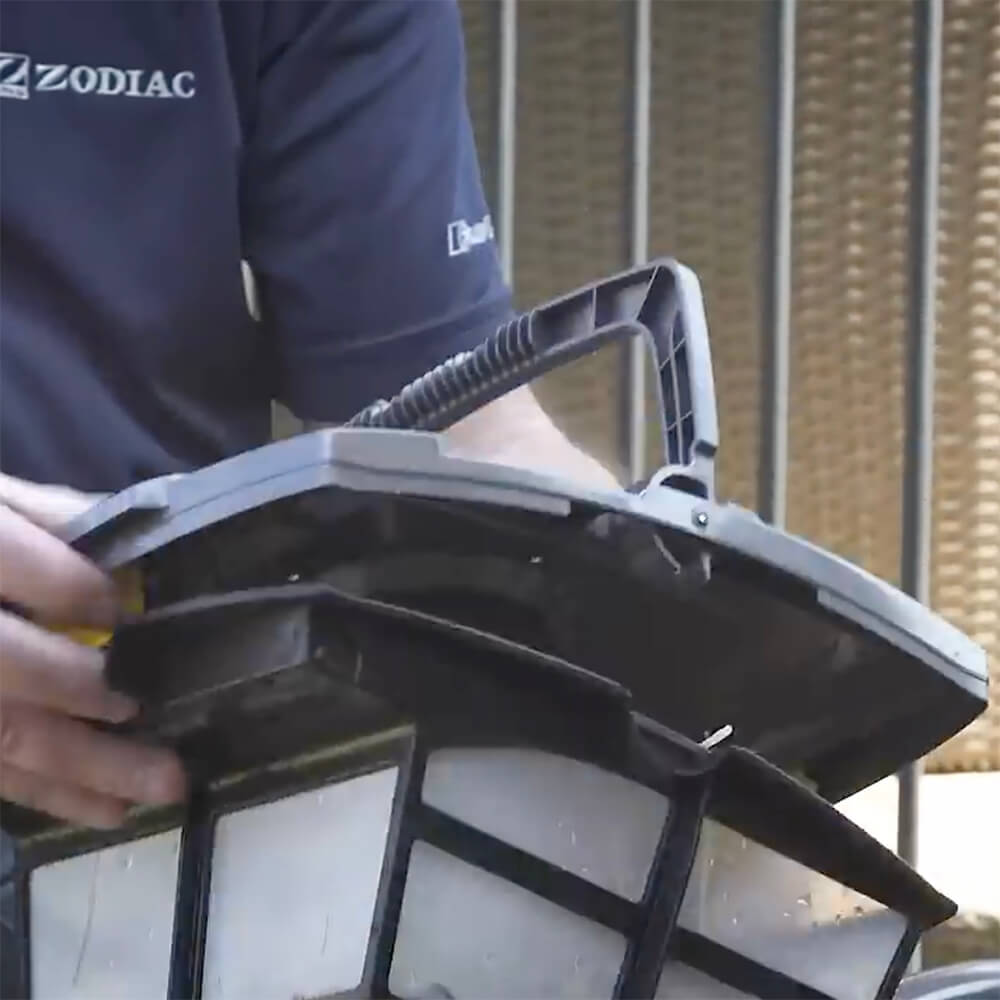
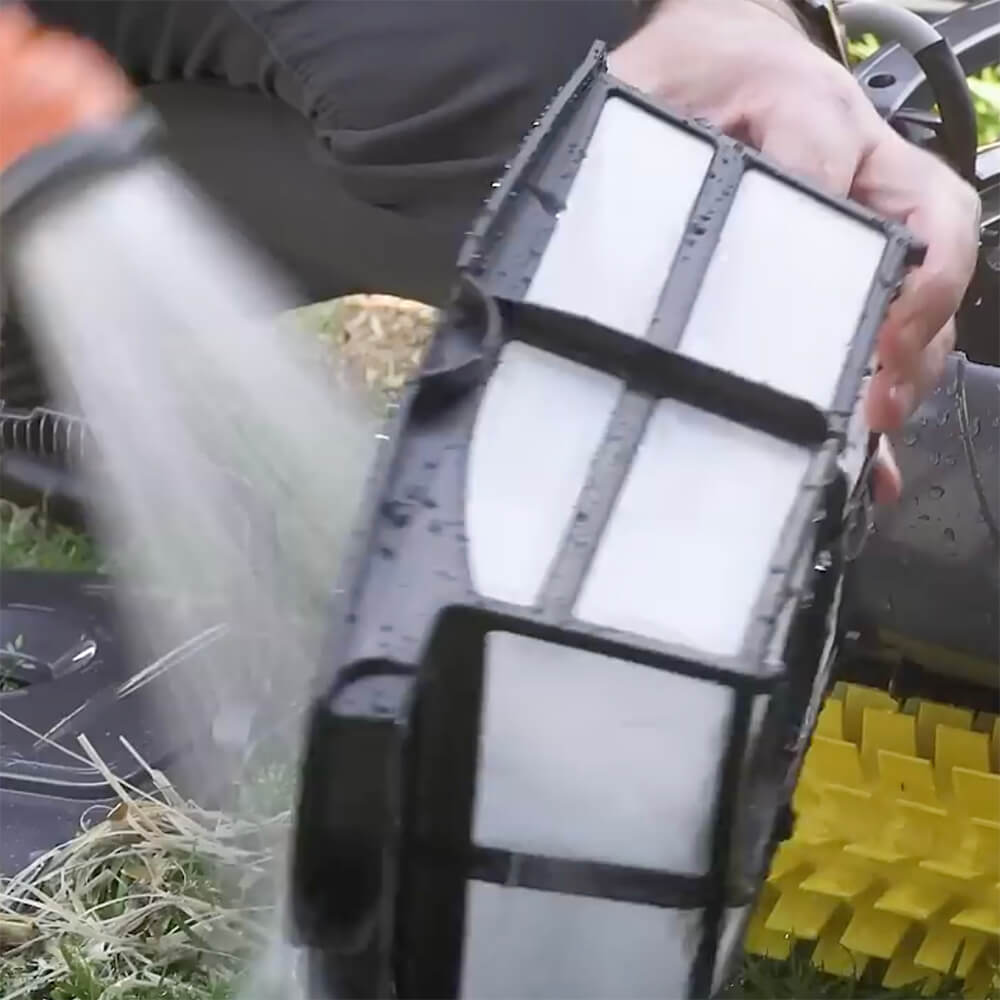
Never touch debris again. Its filter canister has been designed to be easily accessed and cleaned with minimum fuss and without having to touch the contents. Simply press a button to release the filter, rinse, and you’re ready for the next cleaning cycle.
- Convenient Storage and Transport.
The ergonomic caddy simplifies storage and transport, keeping the cleaner, cable, and eBox neatly organized. With its robust design, the caddy ensures your CX35 is always ready for action without cluttering your space. - Available in Two Models for Tiled and Non-Tiled Pools.
For pools with tiled surfaces, a specialized version of the cleaner is available. This model comes with enhanced grip and tailored cleaning capabilities to ensure thorough and effective cleaning of smooth, slippery surfaces, making it ideal for tiled pools.

Features:
- Cyclonic Suction Power: Keeps debris in suspension, preventing the filter from clogging and maintaining maximum cleaning efficiency.


- Push ‘N’ Go Technology: With just one push, access the filter canister easily for quick and hygienic cleaning—no need to touch any debris.


- Plug & Play Installation: Ready to clean right out of the box, the CX35 offers a hassle-free setup, letting you enjoy your spotless pool sooner.
- eBox Control with Timer Adjustment: Conveniently manage the cleaner with the eBox control panel, allowing you to adjust settings with the touch of a button. Easily customize the cleaning cycle duration by increasing or decreasing the time in 30-minute increments using the timer adjustment feature.
- Customizable Cleaning Modes: Choose between two cleaning modes for tailored cleaning—Floor Only (1h30m) or Full Coverage (floors, walls, and waterline for 2 hours). For quick clean-ups, the Fast Cleaning Program offers a special one-hour floor-only cycle for efficient and rapid results.

- Surface Control System (SCS): Adjust the cleaning power to suit smooth or rough surfaces using the control panel’s settings, for optimal wall-cleaning performance. The LED lights on the eBox illuminate to indicate pump strength.

- Dirty Filter Indicator: The dirty filter indicator ensures you’re alerted when it’s time to empty and clean the filter canister.
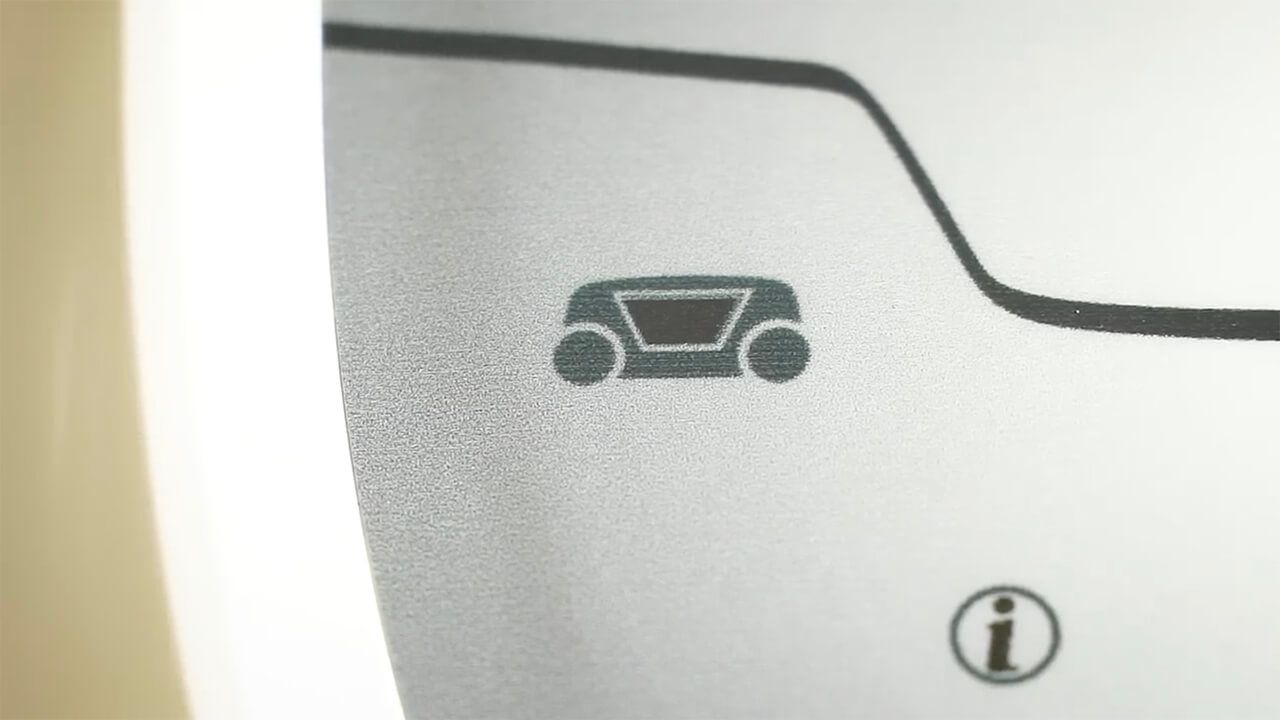
- Debris Handling: This cleaner is suitable for small, medium, and large debris, effortlessly capturing leaves, dirt, and more. For extra-fine debris like dust or sand, an optional 100-micron filter canister is available to ensure even the finest particles are captured. However, depending on your pool's surface, using this filter may affect the cleaner's ability to climb walls. It is recommended to use the 100-micron canister only when needed for specific cleaning requirements.


- Long 18m Power Cable: Perfect for large tiled in-ground pools up to 12m x 6m, ensuring complete coverage.
- Designed for Tiled Pools: With advanced technology and durable construction, this CX35 model is equipped with PVA Scrubber Brushes for Tiled Pools
- Convenient and Easy to Use: The Zodiac CX35 comes with a caddy for easy transport and storage, and the intuitive eBox control with an integrated timer allows you to select from 6 cleaning cycles. Whether you need a quick clean or a more thorough session, the CX35 adapts to your schedule with just the touch of a button.

Certified to Australian safety standards, the CX35 provides you with peace of mind, knowing that it operates safely and reliably.

Technical Specifications:
| CX35 | CX20 | |
|---|---|---|
| Types of inground pools | ||
| Surfaces | Tiles | |
| Shapes | Rectangular, oval, free shape Flat, gentle slope, composite slope, diamond shape | |
| Size | For in-ground pools Up to 12 x 6m | For in-ground pools Up to 10 x 5m |
| Performance | ||
| Cleaning areas | Floor, walls and waterline | |
| Cleaning cycles | 1 – Floor only (1h30m) 2 – Floor/walls/waterline (2h) | |
| Filtering level | 200-micron filter canister 100-micron filter canister (optional) | |
| Filter capacity | 3L | |
| Number of cycles | 6 from the control unit panel | |
| Active Brushing | ✓ | |
| Brush Position | Front and Rear | |
| Ease of Use | ||
| Plug & Play | ✓ | |
| Surface Control System (SCS) | ✓ | |
| Dirty Filter Indicator | ✓ | ✕ |
| Fast Cleaning Program | ✓ | ✕ |
| Caddy | ✓ | ✕ |
| Technical Specifications | ||
| Control Unit supply voltage | 220-240 VAC, 50 Hz short circuit-proof safety isolating type | |
| Cleaner voltage | 30 V DC | |
| Installed load | 150 W max | |
| Cable length | 18m | 15m |
Warranty:
- 2 years
- 1 year on wearable parts (filter canister, tracks and roller brush).
In The Box
- 1 x Robotic cleaner and 18m cable
- 1 x eBox or Control box
- 1 x Trolley
- 1 x 200-micron filter canister
- 1 x Quick start guide
- 1 x Owner’s manual
- 1 x Warranty card

Note: An optional 100-micron filter canister is available for pools in which fine dust is an issue. The optional canister might affect the cleaner ability to climb walls, and as such, it is recommended to be used only as necessary.
Frequently Asked Questions
How do I correctly submerge the CX35 before starting a cleaning cycle?
What do the Information LED flash codes mean on the CX35 eBox?
What should I do if the CX35 does not move when a cleaning cycle starts?
Why isn’t my CX35 climbing walls or reaching the waterline?
How do I use the Surface Control System (SCS) to improve wall climbing?
Why is the cleaner sucking air at the waterline?
Why does the cleaner not stay firmly on the pool floor?
Why does the CX35 sometimes miss the waterline during a cycle?
How do I use the Timer Adjustment feature on the eBox?
How do I select the correct cleaning mode (Floor Only vs Floor/Walls/Waterline vs Fast Clean)?
What should I do when the Dirty Filter Indicator turns on?
How often should I clean the filter canister, and what’s the correct method?
Why is fine dust still present after cleaning, and when should I use the optional 100-micron filter?
What should I do if the brushes or tracks are jammed with debris?
How do I prevent or fix floating-cable tangling?
How do I correctly mount and store the CX35 on the caddy?
What is the safest way to lift the cleaner out of the pool?
Can I leave the CX35 in the pool between cleaning cycles, or swim while it is operating?
Is the CX35 suitable for vinyl-liner pools?
Is this version suitable for tiled pools, and what differs in the tiled-surface model?
| SKU | WR000177 |
|---|---|
| GTIN | 9317545027739 |
| Barcode | WR000177 |
| Package Length | 56 cm |
| Package Width | 54 cm |
| Package Height | 47 cm |
| Warranty | 2 Years |
| Brand | Zodiac |
| Model | CX35 for Tiles |
| Product Type | Robotic Pool Cleaner |
| Shipping Type | Standard |
| Cleaner Type | Robotic Cleaner |
| Suitable Pool Type | Inground, Above Ground |
| Cable length (metres) | 18 |
| Swivel | No |
| Maximum Pool Size | Up to 12m x 6m |
| Suitable Pool Surface | Tiled |
| Leaf Handling Capacity | Large Amounts |
| Leaf Size Capability | Long |
| Type Of Debris | Medium (Nuts, Twigs, etc.) |
| Cleaning Cycle | 1.5 Hours floor only, 2 Hours floor & walls |
| Can Handle Sand | Yes |
| Can Handle Fine Dust | Yes (With Optional Filter) |
| Caddy | Yes |
| Filter Capacity | 3L |
| Filtration Type | Canister |
| Filtration Porosity | 200 micron (Optional 100 micron available) |
| Weight | 9.5 Kg |
| Wall Climber | Yes |
| Cleaning Area | Floor, Walls, Waterline |
| Remote Control | No |
| Energy Consumption | 150W |
| Bluetooth | No |
| Smart Phone Control | No |

Shipping
Same-day dispatch applies to orders received by 12.00 pm (AEST) during business days. Orders received after 12.00 pm and on weekends or public holidays will be dispatched on the next business day.
Delivery fees are $19.95 flat-rate per order Australia-wide, no matter how many products are in it. Orders containing bulky items like sand filters, acoustic boxes, heat pumps, pool covers, and pool slides may incur additional fees as they require specialized carriers.
Below are the estimated time to arrival in business days once an order is shipped.
| Destination | Sydney | NSW | VIC | QLD | SA | WA/NT |
|---|---|---|---|---|---|---|
| Business Days | 1 - 2 | 2 - 4 | 2 - 4 | 2 - 4 | 3 - 4 | 5 - 6 |
Rural and remote addresses, where delivery is not provided every day, may take longer.
Returns
Satisfaction Guarantee: If you are not satisfied with a product for any reason, you are welcome to return it to us for a full refund or exchange within 30 days of the purchase date - even if you have used the product. Returns are free, and we will cover return shipping.
We take full responsibility for the safe arrival of the products that you order from us. We will replace at our expense any product that arrives faulty, damaged during transit, or is the incorrect product. Click here for details
If you have any questions about our shipping policy or our return policy, please contact us on 1300 766 619 or through our contact us form.