

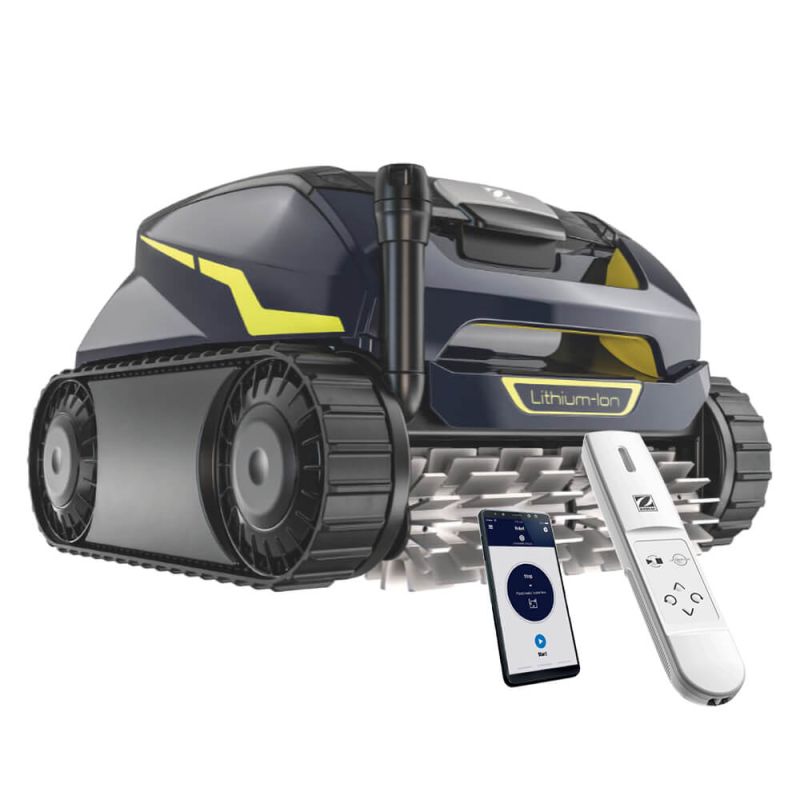
Zodiac FreeRider FR2000 iQ Cordless Robotic Pool Cleaner w/ Dual Stage Filtration, Charging Station, Remote Control and Caddy. Floor, Wall, Waterline. WiFi.


Satisfaction Guarantee
All products covered

Same Day Dispatch
On orders placed by 12pm AEDT

Price Match
Quick, simple & easy

Secure Shipping with Tracking
Guaranteed to arrive safely

Flat rate shipping
Per order Australia-wide

Free, Easy Returns
Hassle-free and convenient

Customer Service & Support
Dedicated call center
Experience True Freedom
There’s something about having the best that changes the way you look at everything. It’s that quiet assurance you carry, knowing that what you have isn’t just good—it’s exceptional.
The details matter, and when those details come together effortlessly, they elevate everything else. That’s where the Zodiac Freerider comes in.
Cordless, powerful, and completely effortless, the Freerider is packed with the most advanced features on the market. It redefines how you care for your pool. It’s more than a tool; it’s a shift in how pool maintenance should feel—seamless, smooth, and always in control. With every glide, every touch, you know you're experiencing the best.
The Zodiac FreeRider FR2000 iQ is a state-of-the-art cordless robotic pool cleaner, designed for effortless pool maintenance. Powered by a high-performance lithium-ion battery, this advanced cleaner offers 2.5 hours of uninterrupted cleaning, efficiently navigating all pool surfaces including floors, walls, and waterlines. Its dual-stage filtration system captures large and small debris, ensuring a thorough cleaning.
The iAquaLink app connectivity allows for real-time control, including additional cleaning modes and status updates, while the handheld remote and Lift System make waterline retrieval effortless.
Benefits:
- High Performance Cable Free Design.
Free of its cable, Freerider is easy to use on a daily basis and takes up little space. Long life lithium-ion battery.
Battery life: 1 full cycle (2 hours 30 mins). Fast charging < 5 hours. Do not expose charger to direct sunlight, rain, or inclement


- Dual-Stage Filtration.
Two-layer progressive filtration system (150 micron/60 micron) collects both large and small debris. Transparent canister cover and LED makes the collected debris easily visible.
- Rear Control Screen.
Makes it possible to view the battery charge status, to select the cleaning mode and to launch a cycle.


- iAqualink App Connectivity.
App connectivity gives users two additional cleaning mode option - SMART cycle and Waterline only cycle. App shows - Charging date / End-of-cycle notifications / Water retrieval assistance / Performance optimization via automatic updates.
- Patented Cyclonic Suction Efficiency.
Combining the constant power of its patented Cyclonic Suction with an impressive dual-stage filtration system, the Freerider FR2000 iQ collects all types of debris with ease.


- Innovative Hand-Held Remote Control.
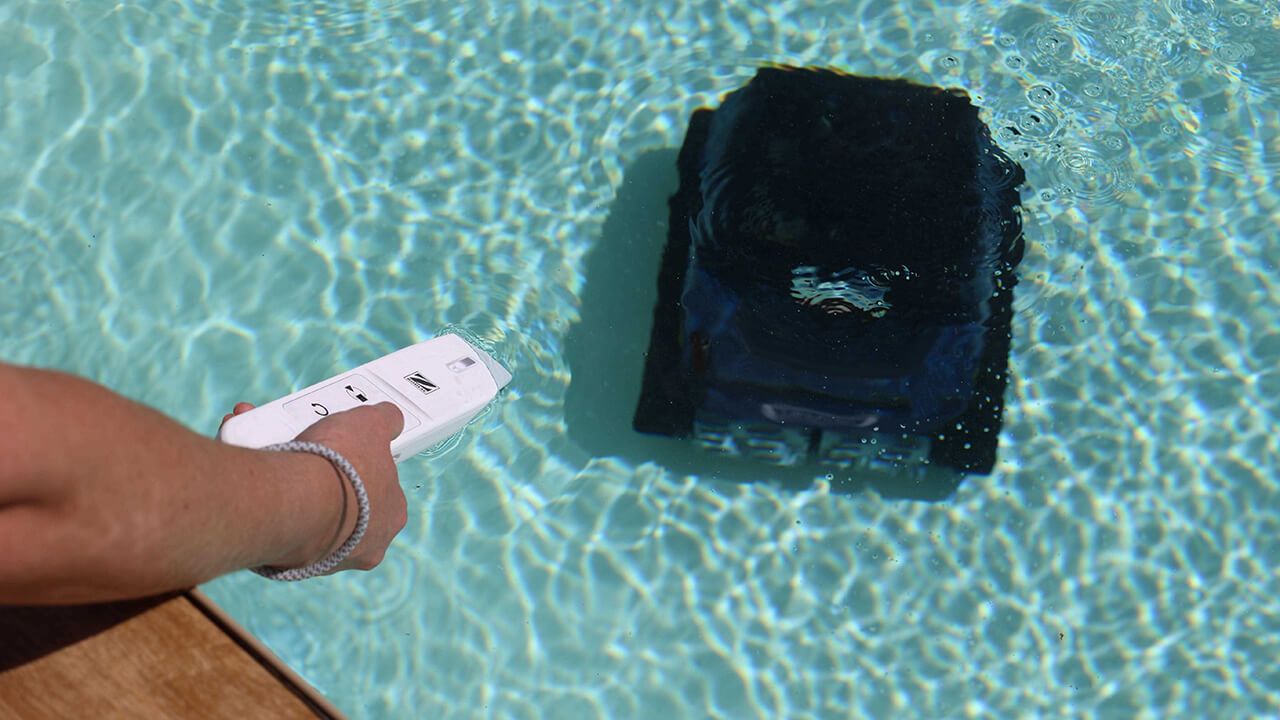
Communicates underwater for easy control and retrieval of the cleaner by activating the Lift System.
Features:
High Performance Lithium-ion Battery.
Enjoy a full 2.5-hour cleaning cycle with quick charging under 5 hours. Equipped with a large 9.6 Ah lithium-ion battery for extended runtime and efficiency.


Helix-Shaped Brushes.
Optimized brush design for more effective debris collection, ensuring a thorough clean on every cycle.

Large Suction Capacity.
Designed to handle significant amounts of debris, ensuring a clean and clear pool after each use.

Long-Lasting Powerful Cyclonic Suction.
Maintains strong suction throughout the cleaning process, allowing it to capture dirt and debris without losing performance.

Dual Stage Progressive Filtration.
Advanced filtration system featuring 150µ canisters for large debris and 60µ for very fine particles, ensuring comprehensive cleaning.


Integrated Smart Sensor.
Smart technology helps optimize cleaning performance and coverage, adapting to different pool conditions.

Suitable for All Types of Pools.
Compatible with various pool surfaces, including concrete, tile, liner, and polyester.

iAquaLink App Connectivity.
App connectivity gives users access to two additional cleaning modes (SMART cycle and Waterline Only Cycle). It provides useful updates, such as charging date, end-of-cycle notifications, water retrieval assistance, and performance optimization through automatic updates.


Download iAquaLink App for APPLE IOS from the Apple Store

Download iAquaLink App for ANDROID from the Google Play Store
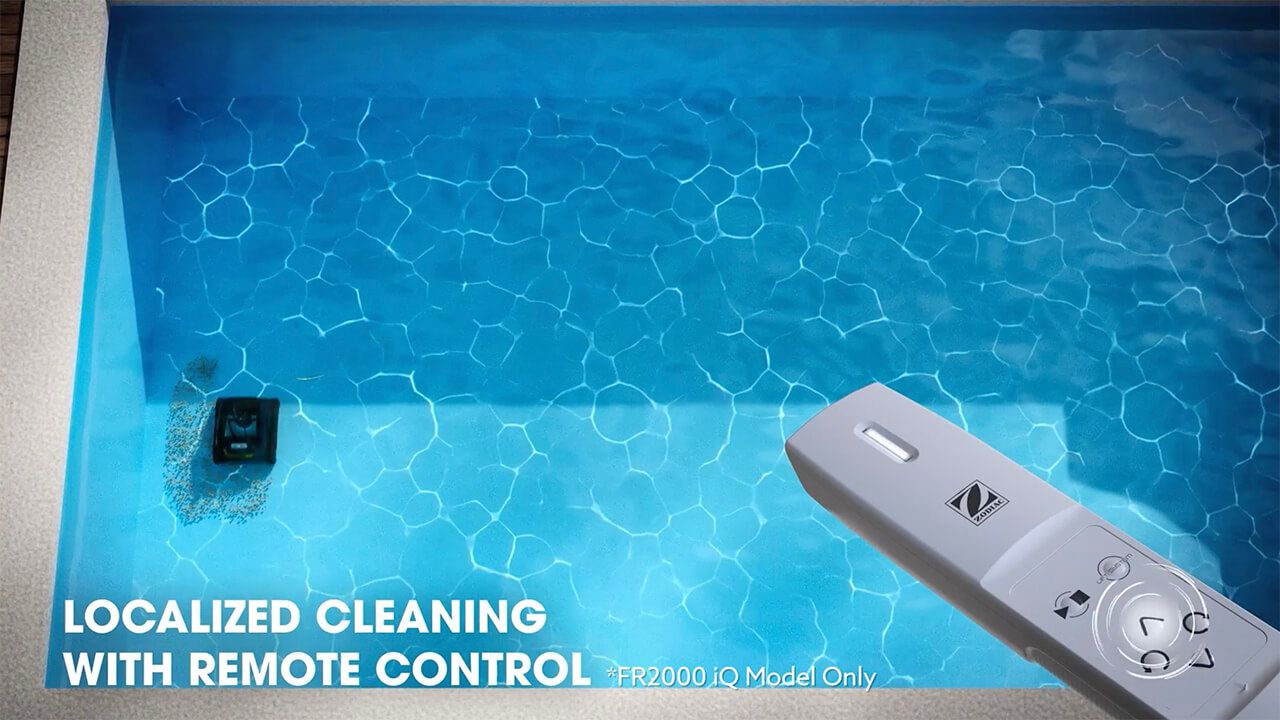
Localized Cleaning with Remote Control.
Use the remote control for targeted cleaning and easy retrieval with the Lift System mode, making waterline cleaning and retrieval effortless.
Lighter when Removed from Water.
The device becomes lighter when lifted from the water, making it easier to handle post-cleaning.


Transparent Canister Window with LED Illumination.
Easily check debris collection levels with the illuminated transparent window, offering convenience and visibility.

Convenient Transportation Caddy with Charging Base.
Includes a transportation caddy equipped with a built-in charging base, making it easy to store and charge the cleaner when not in use.


Climate Care Certified by SPASA Australia.
Certified for environmental sustainability, setting a new benchmark for energy-efficient and eco-friendly pool maintenance.

Technical Specifications:
All shapes and surfaces
| FR2000 iQ | FR1000 iQ | |
|---|---|---|
| Types of inground pools | ||
| Surfaces | Concrete, pebblecrete, quartzon, fibreglass, vinyl and tiles | |
| Shapes | Rectangular, oval, free shape Flat, gentle slope, composite slope, diamond shape | |
| Performance | ||
| Cleaning areas | Floor, walls and waterline | |
| Cleaning cycles | 1 – Floor only 2 – Floor/walls/waterline 3 – Smart Cycle* 4 – Waterline* * Available via iAqualink App only | |
| Filtering level | Dual filter canister 150μ/60μ | |
| Filter capacity | 4L | |
| Number of cycles | 2 from the cleaner control panel and 2 additional ones from the iAqualink App | |
| Active Brushing | ✓ | |
| Brush Position | Front | |
| Connectivity Controls | ||
| iAqualink app control | ✓ | |
| Hand-Held Remote | ✓ | ✕ |
| Ease of Use | ||
| Caddy | ✓ | ✕ |
| Lift System | ✓ | ✕ |
| Transparent window | ✓ | |
| Filter LED | ✓ | |
| Technical Specifications | ||
| Number of motors | 3 | |
| Power | Charging station voltage - 110-240 VAC; 50/60 Hz Supply voltage– 29.4V Battery type – Lithium-Ion 9.6Ah | |
| Inlet suction size/ Cleaned width | 23cm | |
| Weight | 9kg, Gross packaging 16.5kg | 9kg, Gross packaging 15.5kg |

Warranty:
- 3 years or 1200 running hours on motor block, whichever comes first.
- 1 year on wearable parts (filter canister, tyres, tracks and roller brush).
In The Box:
- FreeRider FR2000 iQ
- Charging Station
- Removal Hook
- Transportation Caddy
- Remote Control
Frequently Asked Questions
Why is my FR2000 iQ not climbing the walls or reaching the waterline?
Why does my FR2000 iQ float, lose traction, or struggle to stay on the surface?
What should I do if the FR2000 iQ is not charging on the station?
Why does the battery LED blink red or orange when charging?
Why is the FR2000 iQ not connecting to WiFi or losing WiFi connection?
How do I properly use the Lift System with the remote control?
Why does the FR2000 iQ stop or shut off shortly after starting a cycle?
What should I do if the cleaner becomes stuck or stops moving?
Why does my FR2000 iQ miss debris or show poor cleaning performance?
How do I clear error codes or "Cleaning Interrupted" messages in the app?
How do I clean and maintain the dual-stage filter canister?
What should I do if the cleaner will not drive up the wall for retrieval?
How do I prevent battery overheating or temperature-related charging errors?
How should I store the FR2000 iQ for daily use and long-term storage?
Can I leave the FR2000 iQ in the pool between cycles or during chemical treatments?
| SKU | WR000508 |
|---|---|
| GTIN | 9317545104683 |
| Package Length | 41 cm |
| Package Width | 42 cm |
| Package Height | 28 cm |
| Warranty | 3 Years or 1200 running hours, 1 Year on wearable parts |
| Brand | Zodiac |
| Model | FreeRider FR2000 iQ |
| Product Type | Robotic Pool Cleaner |
| Shipping Type | Standard |
| Cleaner Type | Robotic Cleaner |
| Suitable Pool Type | Inground |
| Cable length (metres) | Cable Free |
| Swivel | No |
| Maximum Pool Size | Up to 12m x 6m |
| Suitable Pool Surface | Concrete, Pebblecrete, Pebblecrete w/ Tiled Waterline, Quartzon, Glass Beads, Fibreglass, Vinyl Lined, Tiled |
| Leaf Handling Capacity | Large Amounts |
| Leaf Size Capability | Long |
| Type Of Debris | Medium (Nuts, Twigs, etc.) |
| Cleaning Cycle | 1 - Floor only 2 - Floor/walls/waterline 3 - Smart Cycle* 4 - Waterline* (*available via iAqualink App only) |
| Can Handle Sand | Yes |
| Can Handle Fine Dust | Yes |
| Caddy | Yes |
| Filter Capacity | 4L |
| Filtration Type | Canister |
| Filtration Porosity | Dual stage filtration with 150μ/60μ filter canister |
| Weight | 9 kg |
| Wall Climber | Yes |
| Cleaning Area | Floor, Walls, Waterline |
| Remote Control | Yes |
| Energy Consumption | 110-240 VAC; 50/60Hz Supply voltage - 29.4V |
| Bluetooth | Yes |
| Smart Phone Control | Yes |

Shipping
Same-day dispatch applies to orders received by 12.00 pm (AEST) during business days. Orders received after 12.00 pm and on weekends or public holidays will be dispatched on the next business day.
Delivery fees are $19.95 flat-rate per order Australia-wide, no matter how many products are in it. Orders containing bulky items like sand filters, acoustic boxes, heat pumps, pool covers, and pool slides may incur additional fees as they require specialized carriers.
Below are the estimated time to arrival in business days once an order is shipped.
| Destination | Sydney | NSW | VIC | QLD | SA | WA/NT |
|---|---|---|---|---|---|---|
| Business Days | 1 - 2 | 2 - 4 | 2 - 4 | 2 - 4 | 3 - 4 | 5 - 6 |
Rural and remote addresses, where delivery is not provided every day, may take longer.
Returns
Satisfaction Guarantee: If you are not satisfied with a product for any reason, you are welcome to return it to us for a full refund or exchange within 30 days of the purchase date - even if you have used the product. Returns are free, and we will cover return shipping.
We take full responsibility for the safe arrival of the products that you order from us. We will replace at our expense any product that arrives faulty, damaged during transit, or is the incorrect product. Click here for details
If you have any questions about our shipping policy or our return policy, please contact us on 1300 766 619 or through our contact us form.